
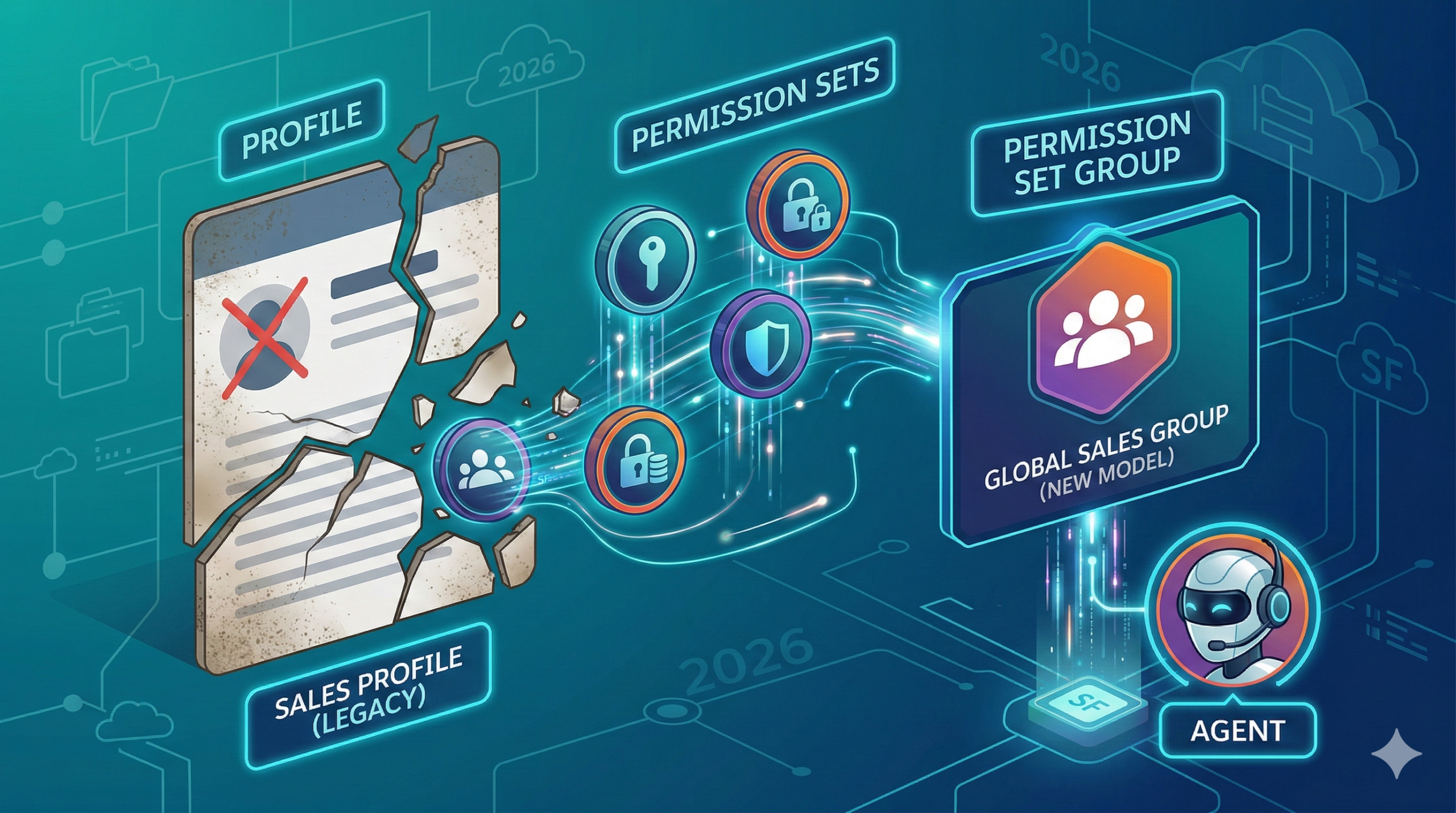
If you’ve spent more than a minute in the Salesforce ecosystem, you know the “Profile” has historically been as foundational as the Account object itself. For over two decades, it served as our universal hammer for every security nail. Need a user to see an object? Edit the Profile. Need to hide a sensitive field? Edit the Profile. Need to onboard a new hire? Clone an existing Profile, tweak a few settings, and hope for the best.
But as we navigate through 2026, that hammer is starting to look like a relic of the Stone Age. The “Sunset” isn’t just a rumor circulating through the Trailblazer community anymore; it is a strategic reality. We are moving toward a future where the Profile is a mere skeleton of its former self, eventually stripped of its power to manage object and field-level security entirely.
The core problem is one we’ve all inherited: most Orgs are “Profile-heavy,” weighed down by a bloated, “spaghetti-logic” architecture that makes auditing a nightmare and scaling an impossibility. If you’re feeling the pressure of this migration, you aren’t alone. However, here is the secret: This isn’t just a forced update; it’s a strategic opportunity. It is finally time to embrace a Least Privilege Architecture—one that makes your org faster, more secure, and perfectly primed for the era of Agentforce.
So, the question remains: are you migrating simply because you have to, or are you migrating to build a superior org? Let’s dive into how you can survive and thrive through the 2026 Permission Set migration.
Why the Profile Had to Die: The Rise of “Granular Access”
Let’s be honest: the Profile was never designed to scale this far. In the early days of Salesforce, a simple “Sales Profile” worked perfectly. But as businesses grew in complexity, we ended up with “Sales – West Coast,” “Sales – Manager – No Delete,” and the dreaded “Sales – Marketing Hybrid – Temp.”
The Technical Debt Trap
This “Clone and Tweak” culture created what I call the Spaghetti Org. I’ve personally audited enterprise environments where 300 users were governed by 250 unique profiles. When every user becomes an “exception,” your security model effectively ceases to exist. This technical debt does more than just slow down your deployments; it creates massive, unintended security gaps that are nearly impossible to track.
Agentforce & AI Readiness
In 2026, the conversation has fundamentally shifted. We aren’t just managing human users anymore; we are managing autonomous agents. If you’re deploying AI agents to handle lead qualification or service cases, those agents require precise, metadata-driven permissions. An AI agent doesn’t need a broad, catch-all “Service User” profile; it needs a specific, surgical “Lead Enrichment” Permission Set. Granular access is the only way to ensure your AI behaves safely within its intended guardrails.

The Data Speaks
Research consistently shows that manual, profile-based permission management leads to 30-40% over-provisioning. This means nearly half of your users likely have access to data they have no business seeing. Transitioning to a modular Permission Set model reduces this “permission creep” and can slash your audit preparation time by up to 50%.

Phase 1: The “Digital Archeology” (The Audit)
Before you can build the future, you have to dig through the past. You cannot successfully migrate what you do not fully understand.
Inventory Your Debt
Your first stop should be the User Access and Permissions Assistant (UAPA). This is a non-negotiable tool in your 2026 toolkit. Use it to run a comprehensive gap analysis and identify these three critical areas:
- Inactive Profiles: Which profiles are assigned to zero users? (Delete these immediately).
- Redundancies: Which profiles are identical except for one or two minor permissions?
- Orphaned Permissions: Which permissions are no longer relevant to your current business processes?
The “Minimum Access” Baseline
The 2026 model aims to move every human user to a “Minimum Access” profile. Think of the Profile as the Foundation of a house and Permission Sets as the Furniture.
- The Profile: This now handles only System-level settings like IP Ranges, Login Hours, and Session Timeout.
- Permission Sets: These hold the “keys” to the house—Object access, Field-level security (FLS), and Apex classes.
A Cautionary Tale: I once worked with an Admin who went “all-in” on Permission Sets but forgot that Login Hours remain strictly tied to the Profile. They moved everyone to a generic profile that lacked the strict restrictions required for their offshore team. It was a security breach waiting to happen. Always remember: keep the “walls” on the Profile, but put the “keys” in the Permission Sets.
Phase 2: Building Your “Persona-Task” Blueprint
To succeed in this new era, you must stop thinking about “Job Titles” and start thinking about “Job Personas.”
Moving Beyond Job Titles
A “Marketing Manager” isn’t a single set of permissions; it is a collection of distinct tasks. To build your blueprint, break it down:
- The Core Persona: What does every Marketer do? (e.g., Read Leads, View Campaigns).
- The Specific Tasks: Does this specific person manage the Budget? Do they import data? Do they send emails?

The Power of Permission Set Groups (PSGs)
PSGs are the “secret sauce” of a successful migration. They allow you to bundle multiple Permission Sets into a single, clean assignment.
- Example PSG: Marketing Executive
- Set A: Base Marketing Access
- Set B: Campaign Management
- Set C: Analytical Reporting
This modularity allows you to update “Campaign Management” once, and that change automatically reflects across every PSG that includes it. That is true architectural scalability.

Phase 3: The Execution (Tools & Automation)
Now, let’s talk about the actual “heavy lifting” involved in the transition.
Automation with User Access Policies
In 2026, we are living in the golden age of User Access Policies (UAP). Manual assignment should be a thing of the past. You can now create automated policies that state: “If User.Department == ‘Sales’ AND User.Title contains ‘Manager’, assign ‘Sales Manager PSG’ and ‘Commission Set’.” This transforms onboarding from a manual, ticket-heavy process into a silent, automated background task.
The Sandbox Rehearsal
I cannot stress this enough: Never perform a profile-to-permission-set migration in Production first.
- Refresh your Sandbox: Clone Production to a Full Sandbox to ensure data parity.
- Run your migration tools: Use automated converters to do the bulk of the work.
- Test your “Red Flags”: Check your Screen Flows (run as the user), your Validation Rules, and especially your third-party integrations—like Zoom Phone, Chili Piper, or Titan Forms—that may rely on specific FLS.
Conclusion: From Administrator to Architect
The “Death of the Profile” is a bit of a misnomer. It isn’t an ending; it’s an evolution. It is the platform finally providing us the tools we need to be true architects.
By moving to this modular, Permission Set-first architecture, you are transforming yourself from a “System Admin” who reacts to tickets into a Security Architect who builds resilient, scalable systems. You are clearing the “Clutter” out of the way so your organization can safely leverage the AI tools they are investing in.
The 2026 migration isn’t a chore—it’s the graduation ceremony for the Salesforce Admin.
Tell me in the comments: What is the one Profile in your org you are most excited to delete forever?
Leave a Reply